
Introduction
Introduction to custom attributes in AssetView for tagging and categorizing accounts, assets, and lots with user-defined metadata.
Attribute Overview
Attributes are custom fields that extend information about an Account, Asset, Lot, or Transaction. An Account, Asset, Lot, or Transaction may be assigned multiple Attributes.
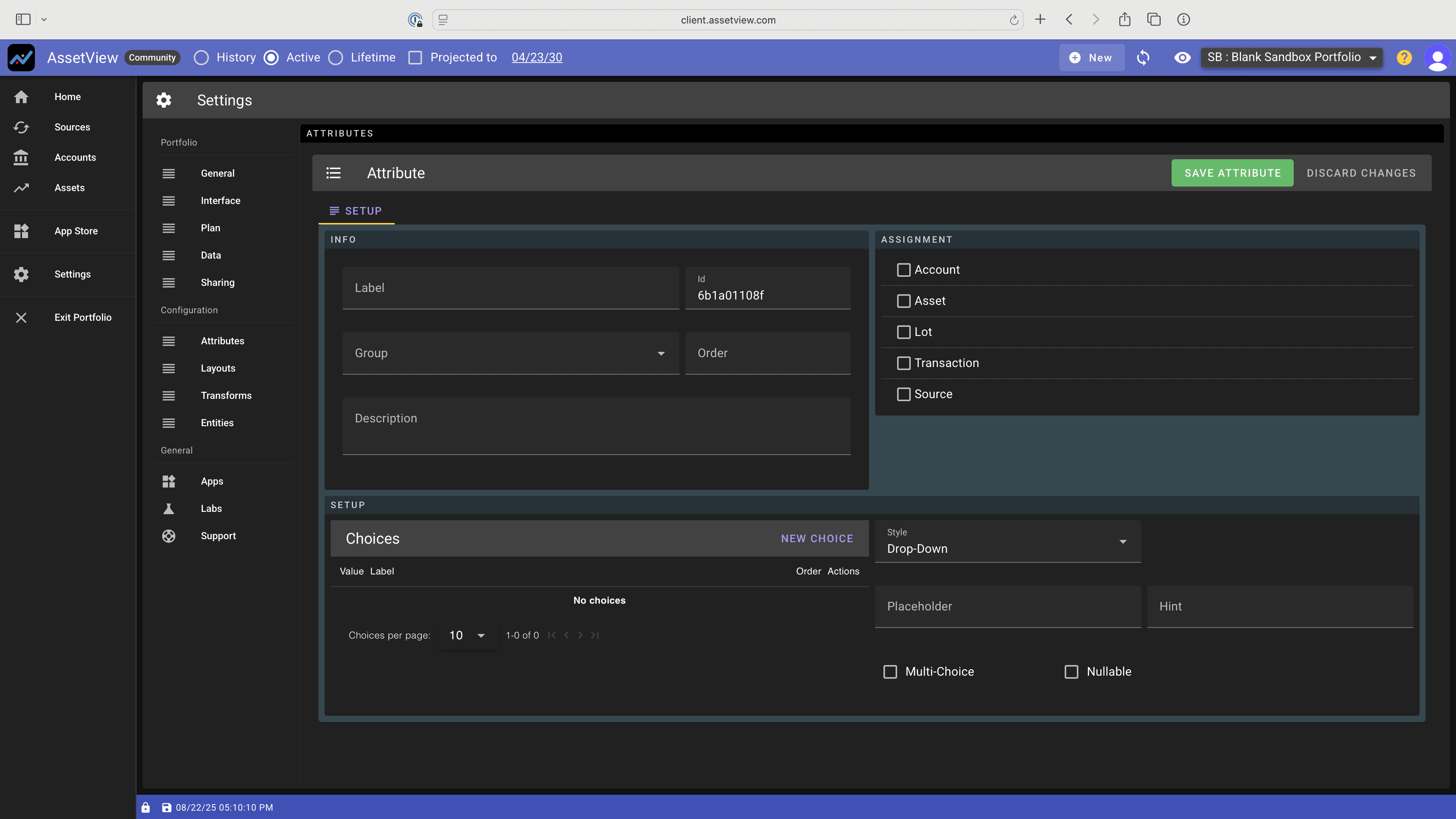
Screenshot of Attribute Setup
Attributes How To Video
Attribute Creation
- Attributes may be created by an AV, an AV App, or by you in Settings>Attributes. - You may duplicate an AV or App Attribute to create an Attribute that you control. In this case, however, the newly created Attribute will not show up in the default home-screen layout dashboard graphs.
Attribute Organization
When creating an Attribute, the investor may assign a Group and an Order so that the Attribute appears with other Attributes assigned to the same group and in a specific order.
Technical Characteristics of Attributes
For each Attribute, AssetView shows:
- Handler: the construct of the Attribute
- Object: the object (e.g. account, asset) that the Attribute describes
- Schema: the schema of the attribute (if any)
- Owner: what controls the Attribute
- Creator: what created the Attribute